1. Introduction session
Contact Wendy to arrange your introduction session.
Prior to coming please make sure you have read through our website especially our Introduction page.
We will meet you at the agreed time and do a brief orientation of the dog park, this will allow you to see all our facilities and ask any questions. You will then have the rest of the hour enjoy one of the areas
After your first visit message Wendy and she will send you details as to how to set up your online account, Once set up you are able to book and pay for sessions online and turn up at your convenience.
Please remember if you have any issues with the online system just message Wendy, We have a plan B!
2. Make an Account on the website
Go to the My account page and create an account, complete the form and press submit. After submitting the form you will receive an email with a verification link to click on. Remember to check your spam folder if you don’t receive an email!
Contact Wendy with the email address you used to register your account, We will then verify your account and message you to acknowledge that you now have access to our booking system.
If you have any problems please let us know and we will do our best to help!
3. Making your first booking
You can either use the “CLICK HERE TO BOOK A FIELD” button at the top of the page, or you can find quick buttons on each of the field description pages!
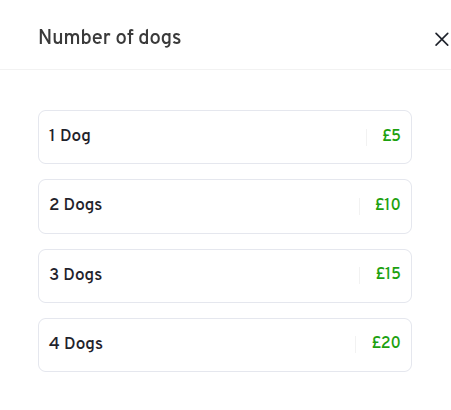
4. Select quantity of dogs
How many dogs are you bringing to the dog park?
Got more than 4? Contact Wendy to discuss some options!
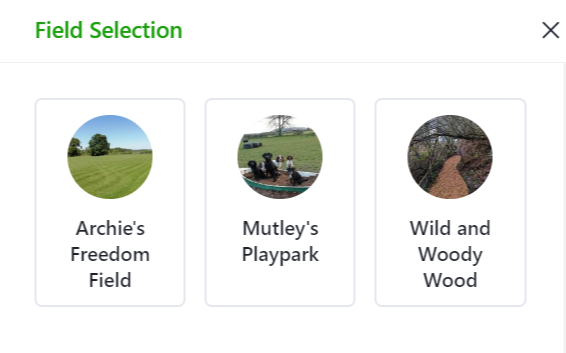
5. Select area
Choose from one of our 3 wonderful areas;
Archie’s for a run, Mutley’s for a play or The Wood for exploring!
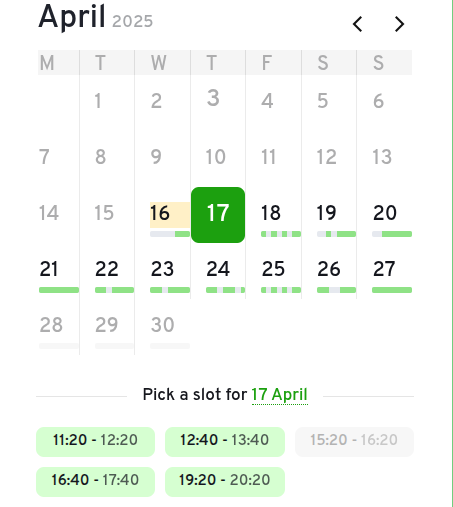
6. Select date and time
Select what date and time you would like to book a field, you can double check this before paying.
You can also see your basket in the summary pannel to the right handside.
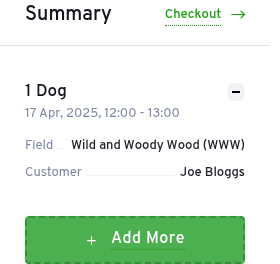
7. View summary and add more sessions
The basket on the right handside shows a summary of your order so far.
You can now add more bookings to your order. Click “Add More” and repeate steps 4 to 6.
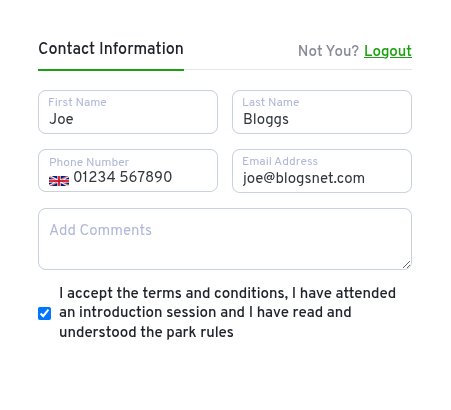
8. Confirm your contact details
You should only have to complete this once. Your details should be saved for future bookings via your auto complete, this will fill them in for future bookings.
You will be asked to confirm you have attended an introduction session, understand the rules, and accept terms and conditions.
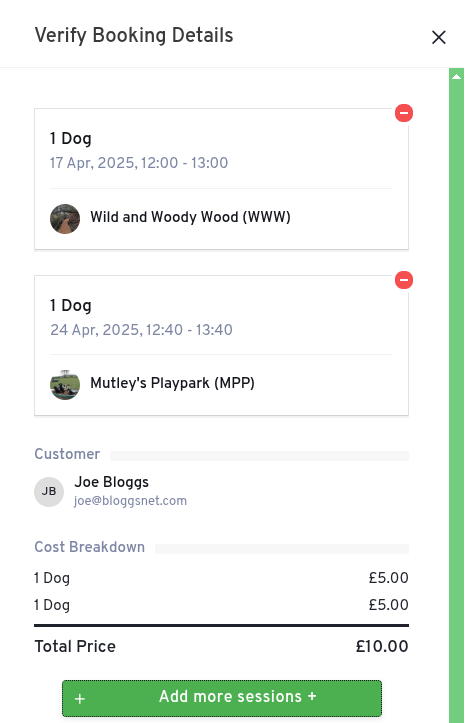
10. Verify Booking Details
Check all the booking details are correct, You can add another session from here as well.
Once your happy, proceed to checkout.
9. Checkout and Pay via Stripe
Stripe is a safe and verified payment gateway; Used by millions currently Paypal’s rival.
See stripe.com for more details/
If you have coupons available, this is where you can use them. See the my account page for coupon status.

11. Receive a booking confirmation email
If you do not receive a booking confirmation email, Please check your spam folder, A few email providers can also filter them out.
Please contact Wendy if you haven’t received any emails after 24 hours, It will be from the same email address as your website verification email..
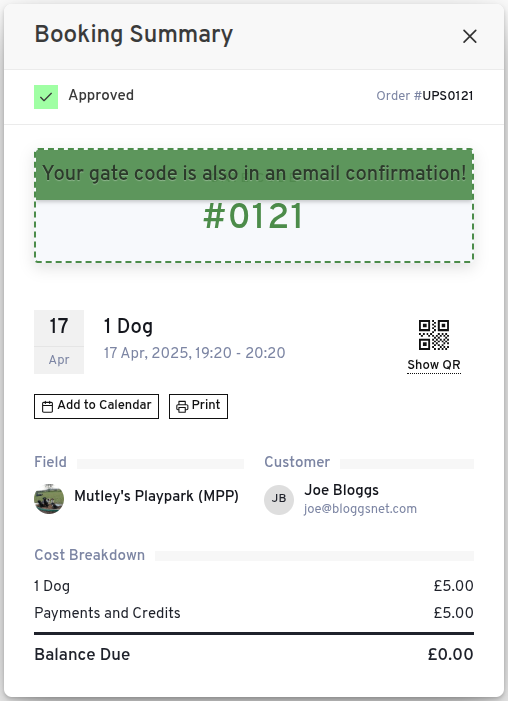
11. View Gate codes in the My Account page
You must have a verified account to view My account page.
Gate codes will appear on the summary within 2 days of your booking, all gate codes are sent via email at time of booking. Any problems at were only a phone call away!